
Cardboard Laser Cutter: How to Cut Cardboard Safely
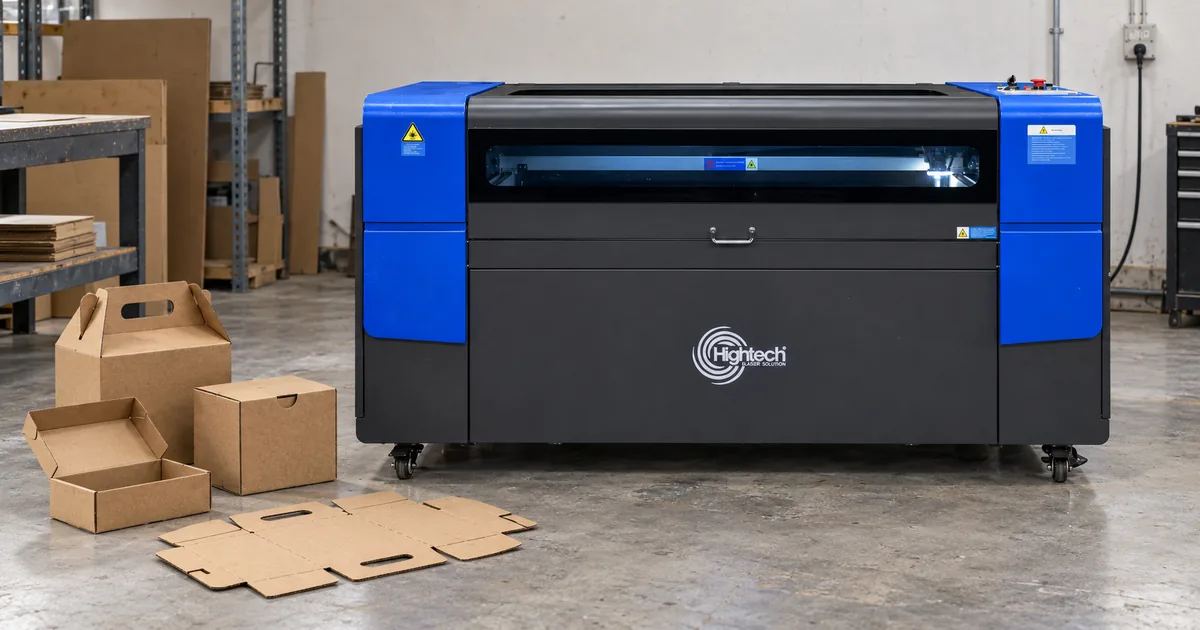
Table of Contents
Quick Answer
Yes, you can laser cut cardboard with a suitable CO₂ laser cutter, provided the exact board is approved for laser processing. Because cardboard is combustible, use a properly enclosed machine, functioning extraction and appropriate air assist, and keep a trained operator present throughout the job. Test the same board grade and batch before committing to production.
For packaging prototypes, display structures and precision model parts, laser cutting cardboard can produce detailed contours without a physical blade pressing on the sheet. The main challenge is controlling heat on a material whose fibres, adhesives and internal air spaces vary from one grade to another.
Can You Laser Cut Cardboard?
What makes cardboard suitable for laser cutting?
A CO₂ laser uses a focused beam to follow a digital cutting path. It can make intricate openings, short-run shapes and personalised components, but the beam also heats the cut edge. Clean results therefore depend on both an approved material and a qualified process—not simply the machine’s rated wattage.
Which cardboard types can be laser cut?
“Cardboard” includes several different constructions. Confirm the stock identity with its supplier before testing, particularly where the board contains recycled fibres, adhesives, printed layers or surface treatments.
Table 1. Cardboard stock types and the main checks before laser cutting
| Board type | Construction and common uses | What to verify |
|---|---|---|
| Cardstock | Relatively thin, solid sheets; cards and small mock-ups. | Known fibre composition; edge darkening and flatness. |
| Folding boxboard | Multi-ply solid packaging board; cartons and sleeves. | Coatings, inks and whether folding is better done by creasing. |
| Chipboard / solid board | Dense pressed fibre stock; inserts and rigid model parts. | Binder composition, measured thickness and cut-through. |
| Single-wall corrugated | One fluted layer between liners; trays and mailers. | Flute orientation, internal gaps, smoke and local scorching. |
| Double-wall corrugated | Multiple fluted layers and liners; heavier packaging. | Uneven heating, trapped smoke, repeated cut quality and ignition risk. |
| Printed or laminated board | May include inks, films, adhesives or barrier coatings. | Obtain documented laser approval for every layer; otherwise do not cut. |
Can you laser cut printed, coated or laminated cardboard?
Not automatically. A paper-based appearance does not prove that the sheet is laser-safe. Some films, vinyl/PVC layers, adhesives and unknown surface treatments can produce hazardous emissions or damage equipment. Ask the supplier for a material specification or safety documentation and obtain approval under the machine’s material policy. If any layer cannot be identified, use another cutting method.
How to Laser Cut Cardboard: A Safe Step-by-Step Workflow
Use the procedure below as a planning checklist alongside—not instead of—the operating manual and local laser safety rules for your exact machine.
1. Identify and approve the cardboard
Record the supplier, grade, batch, any ink or coating, and measured sheet thickness. Check the supplier’s documentation, including a safety data sheet where applicable. Reject unidentified composites, suspected PVC/vinyl laminates and materials not approved for laser processing.
2. Inspect the laser and work area
Follow the machine’s pre-use checks for enclosure, interlocks, optics, cooling, exhaust, filtration and air assist. Remove scraps from the cutting bed and confirm the trained operator can use the machine’s emergency-stop and fire-response procedure. Never bypass an interlock to accommodate oversized stock.
3. Prepare clean vector artwork
Build the cut paths at the correct physical scale; separate through-cuts, engraving and any experimental score lines into distinct layers. Remove duplicate vectors that would expose one line twice. Arrange inner holes before outer profiles where the controller and job allow, so small features are completed while the part is still supported. For export details, see best file format for laser cutting.
4. Place one flat sheet and set focus
Use the approved bed and hold-down method to keep a single sheet stable without introducing a combustible fixture. Do not stack cardboard sheets. Check clearance, material position and focal distance as instructed for the installed laser and lens.
5. Qualify settings on a small supervised sample
Start from manufacturer- or technician-approved parameters for the actual configuration. Preview and frame the job, then run a limited cut pattern under continuous observation. Do not substitute an internet power percentage or speed value from a different machine. Stop immediately if the machine’s hazard criteria are met.
6. Inspect, document and approve the result
After the machine has stopped and it is safe to handle the part, check full cut-through, edge colour, soot, shape accuracy and slot fit. Record the settings and the board batch. Approve a production layout only when the test is repeatable; remain present for every production run.
Cardboard Laser Cutting Settings: Power, Speed and Thickness
What determines the right laser cutting power and speed?
There is no universal cardboard laser cutting settings table. Actual results depend on laser output, optics and focus; controller units; board fibre and adhesive composition; moisture; flute geometry; air flow; number of passes; and how closely adjacent paths are nested. Higher power is not always better: excess energy can darken an edge or increase ignition risk.
Always record whether speed is in mm/s or mm/min. Mixing these units can change the travel rate dramatically. Likewise, a controller’s power percentage is not a transferable wattage measurement. If your workflow uses a material-test function, limit testing to a safety-reviewed range and never leave a test grid unattended. For broader parameter principles, see optimising CO₂ laser settings.
How to establish a usable starting point
First obtain the permitted operating range from the manufacturer or responsible technician. On the approved board, trial a small number of controlled combinations while keeping focus, extraction, air assist and test geometry consistent. Compare only samples with complete cut-through; then select the cleanest repeatable result that avoids unnecessary heat exposure and meets part-fit requirements. Requalify whenever the board grade, batch, optics or machine setup changes.
How thick can a cardboard laser cutter cut?
The maximum is not a single number. A solid sheet and a double-wall corrugated sheet of similar measured thickness do not absorb and dissipate heat in the same way. Thick or multi-wall board may have pockets that burn unevenly even when the surface looks acceptable. Confirm the permitted thickness for the specific CO₂ model, material grade and safety setup by supervised sample cutting; do not treat a generic catalogue limit as a cardboard guarantee.
Laser Cutting Corrugated Cardboard Without Excessive Scorching
Corrugated board has liner sheets separated by a fluted core. The laser crosses dense paper and open cavities along the same path, so smoke, local heat and cut-through can vary within one part. Flute direction, crushed sections and a bowed sheet can also change the focal distance. A setting that works on flat boxboard should never be assumed valid for corrugated stock.
Keep the sheet flat, extraction functioning and the optics maintained under the machine’s maintenance plan. Space nested parts sensibly so adjacent paths do not repeatedly heat one small area. Inspect slot and tab fit on actual stock: the laser removes a narrow band of material called the kerf, and it affects both dimensions and friction-fit joints. See laser cutting kerf for the underlying measurement principle.
Table 2. Cardboard cut-quality troubleshooting
| Observation | What to investigate | Safe corrective direction |
|---|---|---|
| Incomplete cut | Warped stock, focus, board density or approved parameters. | Stop, inspect and perform another limited, authorised sample; do not blindly add passes. |
| Browned edges | Excess heat input, overlapping vectors or slow sections. | Check duplicated paths and trial a manufacturer-approved lower-exposure combination. |
| Heavy soot / smoke | Dirty bed, filtration/extraction issue or unsuitable stock. | Stop to investigate the material and ventilation system before proceeding. |
| Persistent flame | Cardboard ignition or abnormal heat accumulation. | Execute the machine-specific emergency-stop and fire-response SOP; do not open an active enclosure. |
| Sheet shifts / bows | Uneven support, air movement or distorted board. | Use approved support and a flatter sheet; reset focus and requalify. |
| Tabs too tight / loose | Kerf or dimensions differ from the design assumptions. | Measure the actual slots and cuts; revise fit allowance and repeat the test. |
Can You Engrave or Score Cardboard With a Laser?
Through-cutting separates a part from the sheet. Vector line marking changes the surface along a path, and raster engraving builds artwork from closely spaced marks. Each operation requires its own material test; an engraving result does not establish safe through-cut settings. Corrugated surfaces can also mark unevenly because the outer liner is not consistently supported.
A laser score can weaken a fold line, but it is not the same as compressing fibres with a conventional creasing rule. Packaging that needs repeatable, clean folds may be better made with a digital knife cutter and crease wheel or a die-cutting process. Verify fold strength and edge appearance on a physical carton mock-up before choosing the method.
Hightech CO₂ Laser Cutters for Cardboard Workflows
Hightech includes cardboard among the applications of its CO₂ laser cutting and engraving machines. Choose bed size around the usable sheet dimensions and planned nesting—not just the dimensions of a finished box. Allow for the machine’s placement rules, support area and operating clearance.
Table 3. Hightech CO₂ machine shortlist by published work area
| Model | Published work area | Potential use and essential caveat |
|---|---|---|
| HT CO2-6040 | 400 × 600 mm | Small inserts and prototype pieces; verify this particular model and cardboard grade by sample. |
| HT CO2-7050 Z | 700 × 500 mm | Small carton mock-ups and detailed cut/engrave work. Cardboard is explicitly listed on its product page; test the exact stock. |
| HT CO2-1390 | 1300 × 900 mm | Larger prototypes or repeated display parts. Cardboard is listed among applicable materials; qualify job and extraction. |
| HT CO2-1530 | 1500 × 3000 mm | Large-format packaging/display sheet nesting; confirm sheet handling, current configuration and cardboard test results. |
Planning a cardboard cutting project? Send Hightech your board grade and supplier specification, coatings, measured thickness, maximum sheet size, sample artwork, expected batch quantities and required fold/slot accuracy. Ask for confirmation of the CO₂ configuration, extraction and safety equipment, and a sample-cut feasibility review before placing an order.
Cardboard Laser Cutter Safety Checklist
Because cardboard can ignite and release smoke, safety checks are part of the process—not an optional finishing step. The exact machine manual and trained workplace emergency procedure take priority over general advice.
- Cut only approved, identified stock; do not assume recycled, printed or laminated packaging is safe.
- Keep the enclosure and interlocks functional; never defeat protective devices.
- Operate the required exhaust and maintained filtration; use suitable air assist where specified.
- Remove scrap, dust and combustible clutter from the deck before and between jobs.
- Keep a trained operator continuously present with access to the emergency stop and approved fire-response equipment.
- Treat sustained flame, unusual smoke or extraction failure as a stop condition and follow the machine-specific SOP.
- Remember that air assist does not replace proper fire protection, exhaust or material approval.
For the wider operating context, consult Hightech’s CO₂ laser cutting safety guidance.
Frequently Asked Questions
Can you laser cut cardboard with a CO₂ laser cutter?
Yes—when the board is identified and approved for the specific machine. CO₂ laser cutting works well for many packaging samples and detailed shapes, but it still requires extraction, supervision and a grade-specific test.
Can you laser cut corrugated cardboard safely?
Potentially, but corrugated board has fluted air cavities that can change how heat and smoke build up. Use only an approved grade and a supervised, properly enclosed setup; do not reuse settings from solid board without retesting.
What power and speed should I use for cardboard?
Use values recommended for your exact machine and material, then qualify them on a small sample. There is no reliable universal setting. Always record the controller’s power scale and whether speed is measured in mm/s or mm/min.
How thick can cardboard be for laser cutting?
There is no single verified thickness ceiling for all cardboard and CO₂ systems. Structure, adhesives, focus and extraction matter as much as the measured thickness. Ask the machine supplier to evaluate your actual sample.
Can you laser engrave cardboard?
Yes, on approved material. Surface marking and raster engraving are different processes from through-cutting. Test the intended artwork and check legibility, soot, surface damage and stability, especially on corrugated sheets.
Can you laser cut printed or laminated cardboard?
Only if the exact inks, films, adhesive layers and substrate have been identified and approved for laser use. Unknown vinyl/PVC laminates and other unverified composites must not be treated like uncoated paperboard.
Is a laser or digital knife cutter better for packaging?
Choose a laser for suitable short-run shapes and intricate cut-outs; choose a digital knife/crease workflow when fold quality, printed registration or non-thermal edges are more important. For repeated high volumes, compare the total cost of die cutting.
Latest contents



Prefer a callback? Share your details and requirements below.
Your details will only be used to respond to this request.